Bloom Filters : The Unsung Hero of System Design
Let’s start from Ground Up..
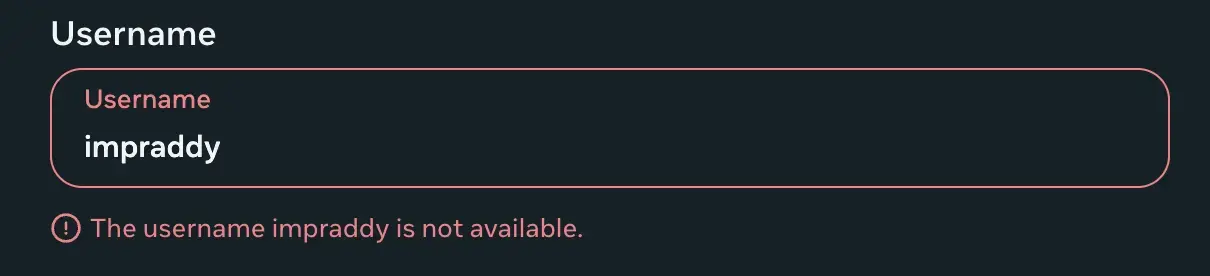
Say we’re building an app, and as a part of the user registration process we ask users to choose a username. If the username is already taken, they need to try another one. (Just like your email, instagram usernames etc..)
So as engineers, how should we approach building a feature like this ?
The most straightforward approach that we can think of is that :
-
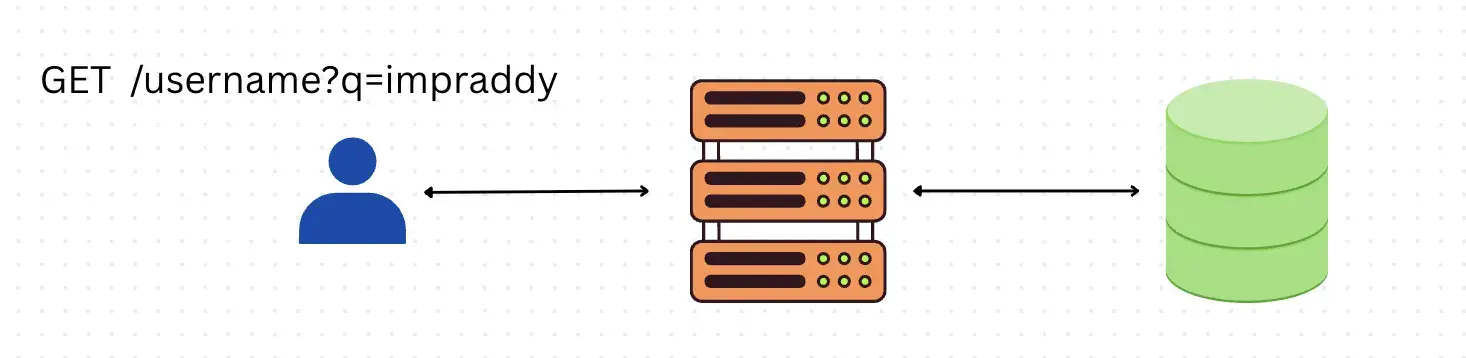
We will make the UI call an endpoint like this GET /username?q=impraddy
-
Our backend should check the cache/DB (SELECT * FROM users WHERE username = ‘impraddy)
-
The endpoint should return True/False based on the availability.
-
then make the UI show the feedback instantly.
This works perfectly… at small scale.
Now as the app grows, suddenly this endpoint becomes one of our hottest paths because this traditional approach does a full db scan which takes O(n) which is good if the number of rows in our table is limited to some extent, but at millions and billions of records, the same query will take forever to return the result. (not only because we have multiple rows to check, but also that during registration people will retry multiple usernames, this in-turn increases the QPS, which can still hammer our DB, and increase the response latency,)
And introducing a cache doesnt make sense here as we are trying to see if a username exists or not. (cache stores the frequently accessed data, which is irrelevant to us).
So at this scale now we have to protect the db from being overwhelmed,
So our next approach would be to store the existing usernames in a set, and each time someone requests for a username check, instead of hitting the db, we will first check if the username is present in the set or no.
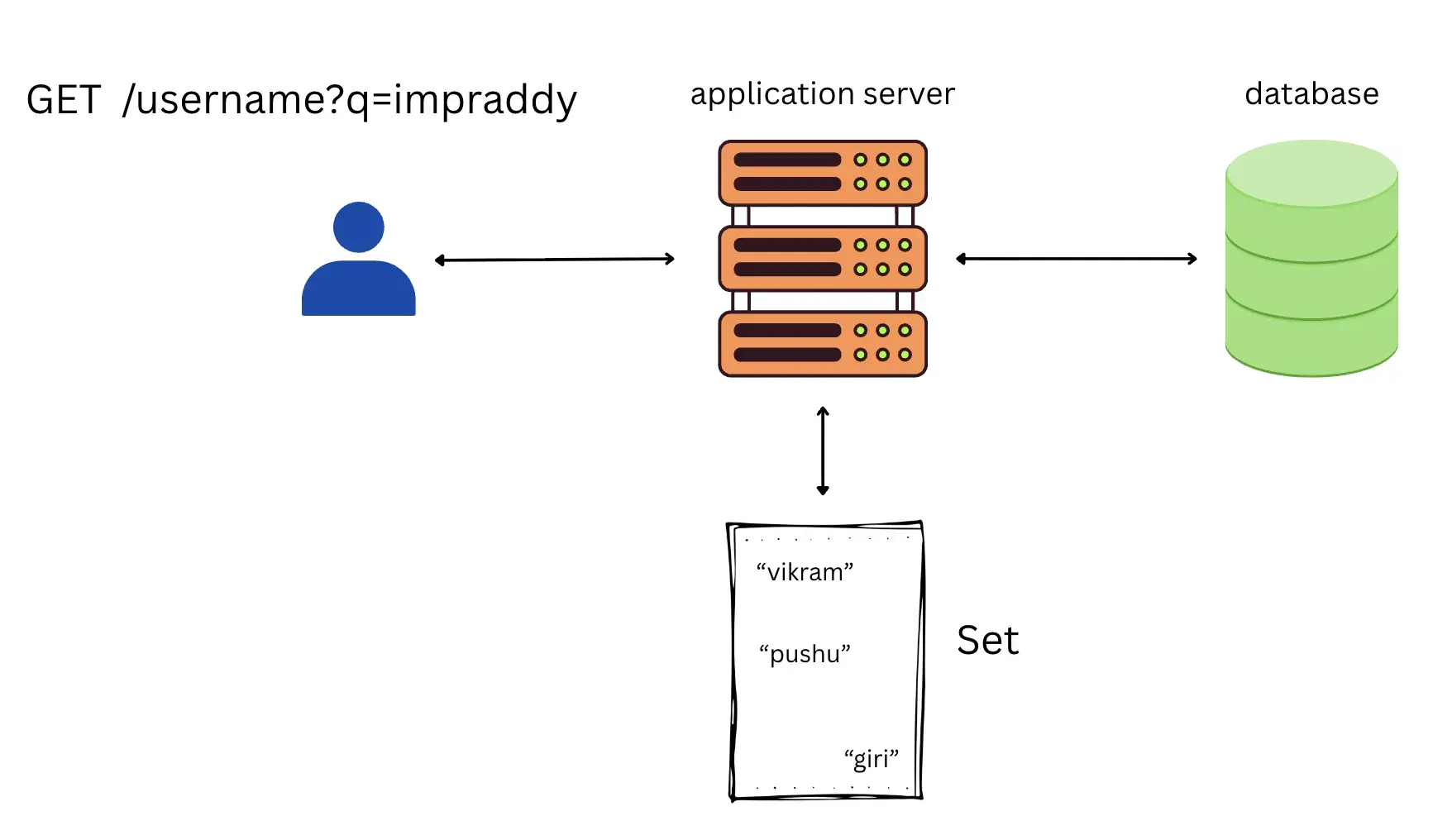
A Set lookup is super fast as it gives a O(1) look up time, but when our app grows to Instagram scale, storing billions of strings in a traditional in-memory Set will destroy our RAM, and also is super expensive. (1 billion usernames, each with average of 10 characters, roughly above 10GB + just for names 😂)
Here is where Bloom Filters come in to the rescue, and solves the above problem optimally.
What is Bloom Filter ?
Bloom filter is a probabilistic data structure that returns whether
-
the element is possibly present in the set, or
-
the element is definitely not present (100% certainty).
So this helps in solving questions like this efficiently : “Does the element exist in the set (data structure) or not?” For example see the real-world usecases below.
Bloom Filters Use cases
-
Instagram uses this to check if a reel was viewed by a user or no, so that they dont recommend the same reel to the user again
-
Medium uses this to check if the article was read by a user, and only recommend if the article was not read. (so that we dont recommend the same article twice.)
-
Web crawlers use this as well to check if a url was crawled before or no.
-
Not showing same movies as recommendations(for netflix) or avoid showing same ads to the user on any ads platform are also great examples where bloom filters fit perfectly.
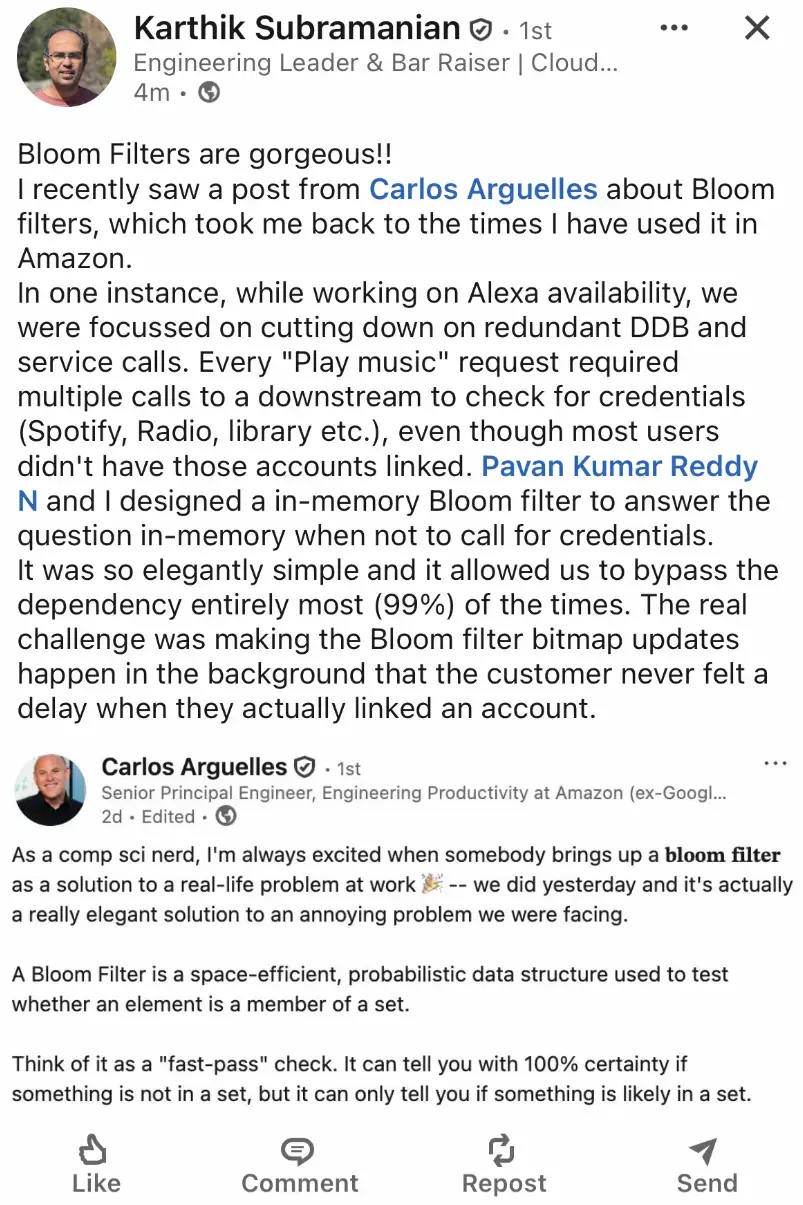
It has numerous use-cases… Here’s another discussion from Linkedin from a Amazon Employee as to how they used Bloom filters…
Now let’s understand how bloom filters work..
How does Bloom filter Work?
Let’s understand by taking an example :
Imagine we have an array of 128 buckets where each bucket consists of a single bit that is set to zero. Since it’s a bit, it can only have two values: either 0 or 1. Initially, all 128 bits are set to 0.

Let’s consider the previous example itself, the example of finding a username.. (for better understanding let’s say we already have 3 users “pushu”, “giri” and “vikram”, and we have marked their hash values to 1.)

Insert Operation
When the user is typing a username, we might do a GET availability check in the bloom filter (refer to the query operation section bellow).
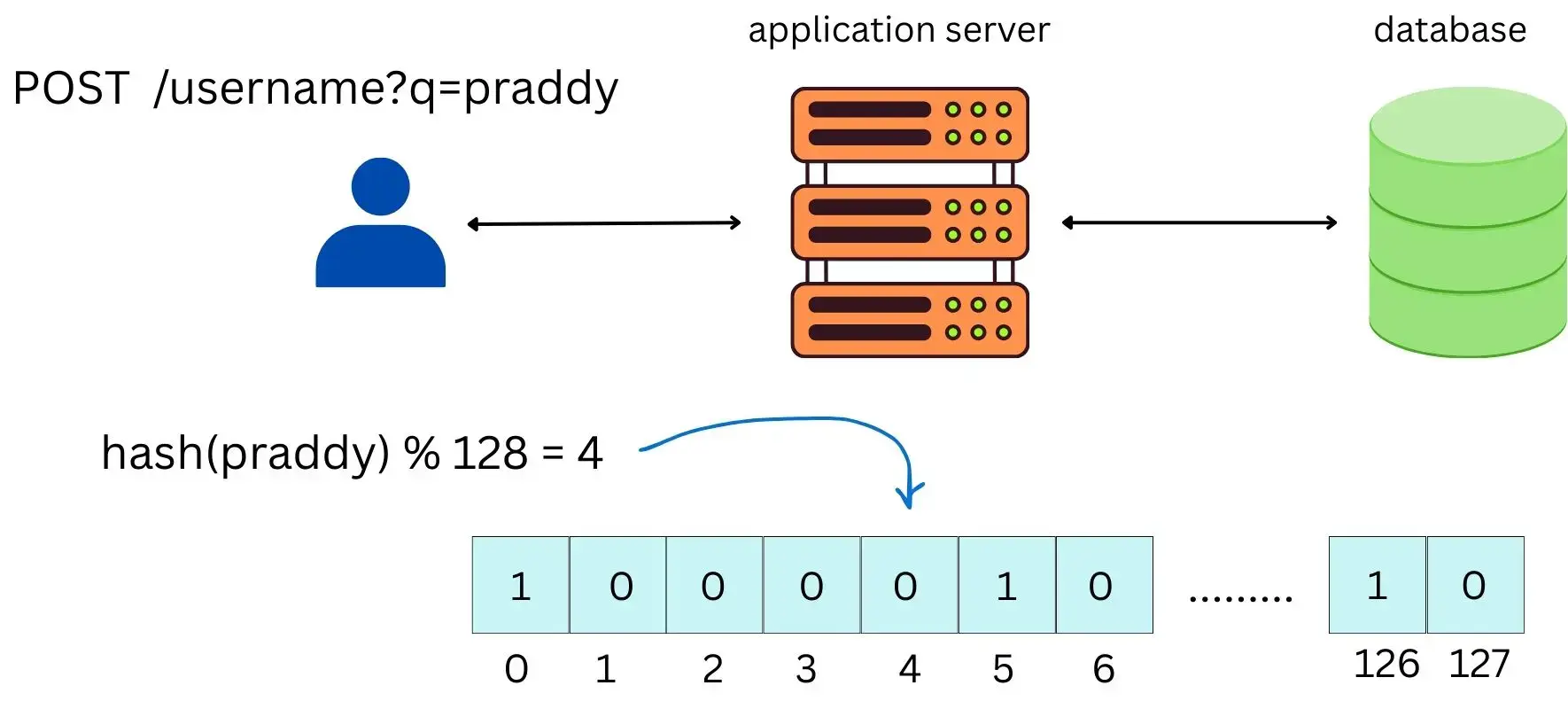
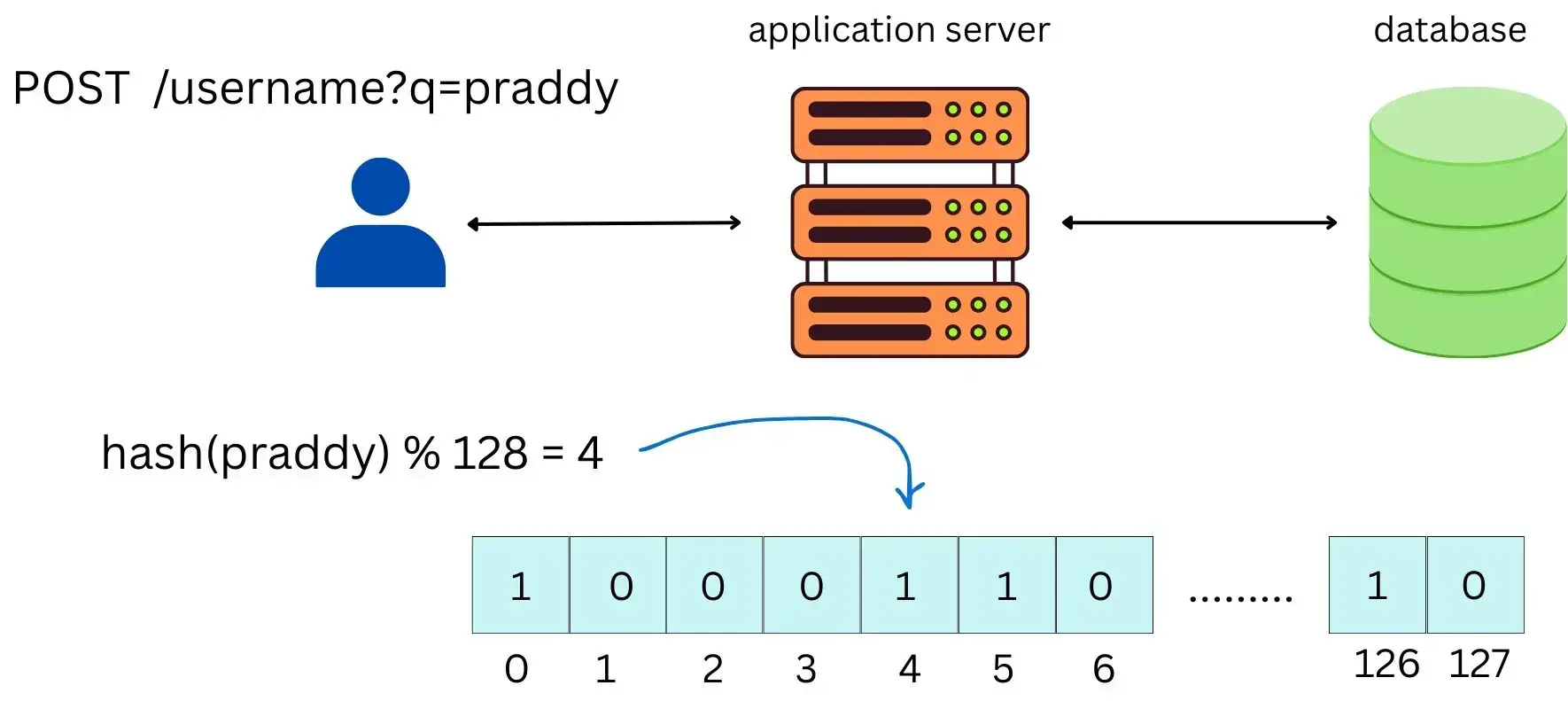
But the insert happens when the bloom filter query operation (GET) returns a 0 (100% certain that the user is not present) and only when the user finally clicks Sign Up and we create the account via a POST request.
Only after the DB insert succeeds, we update the Bloom filter like below.
For insert operation we need to perform the following operations :
-
Take the hash value of the username
-
then take the hash and mod it with the number of bits considered in the bit array. so in our case it becomes hash(username) % 128
-
Set the corresponding bit (hash(username) % 128) to 1 in the array. If a bit is already 1, we just leave it as 1.
Query/Read Operation
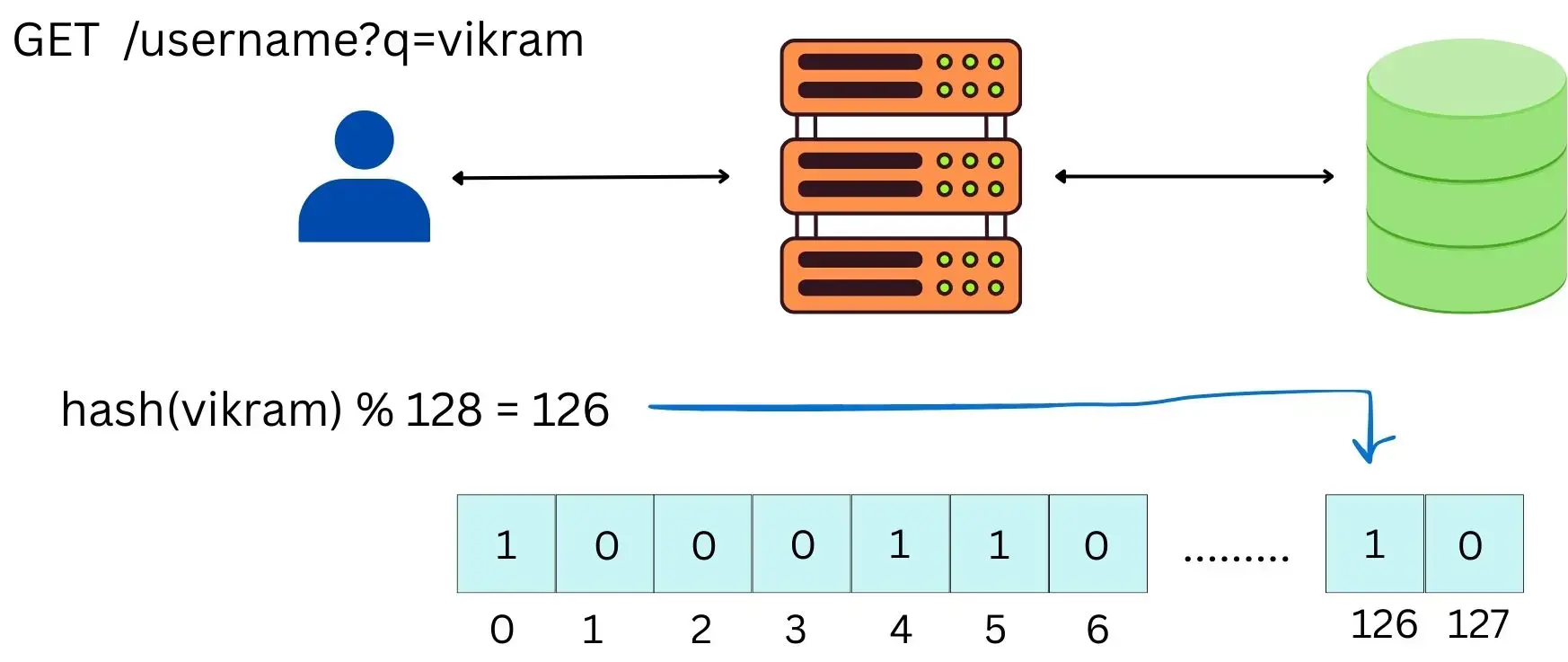
For query operation (meaning to see if a username exists or not )we perform the following steps :
-
Take the hash value of the username we are checking
-
mod it with the total number of bits in the array : hash(username) % 128 in our case
-
then we check if the bit at that index is set or not.
-
If the index is not set (meaning it is 0), then it is 100% certain that the username is not registered. But if the index is set to 1, then it means that the username may or may not be registered, so we have to make that db call to know if it really exists or no.
Some Important Points to Note
-
In the query operation, the “may or may not be present” case introduces false positivity, meaning bloom filters can say taken (the set bit ‘1’) even when it’s actually not taken (so we are hitting the db for such cases). This is called the false positivity rate, p.
-
Number of keys we put in bloom filters increase, the false positivity rate increases
-
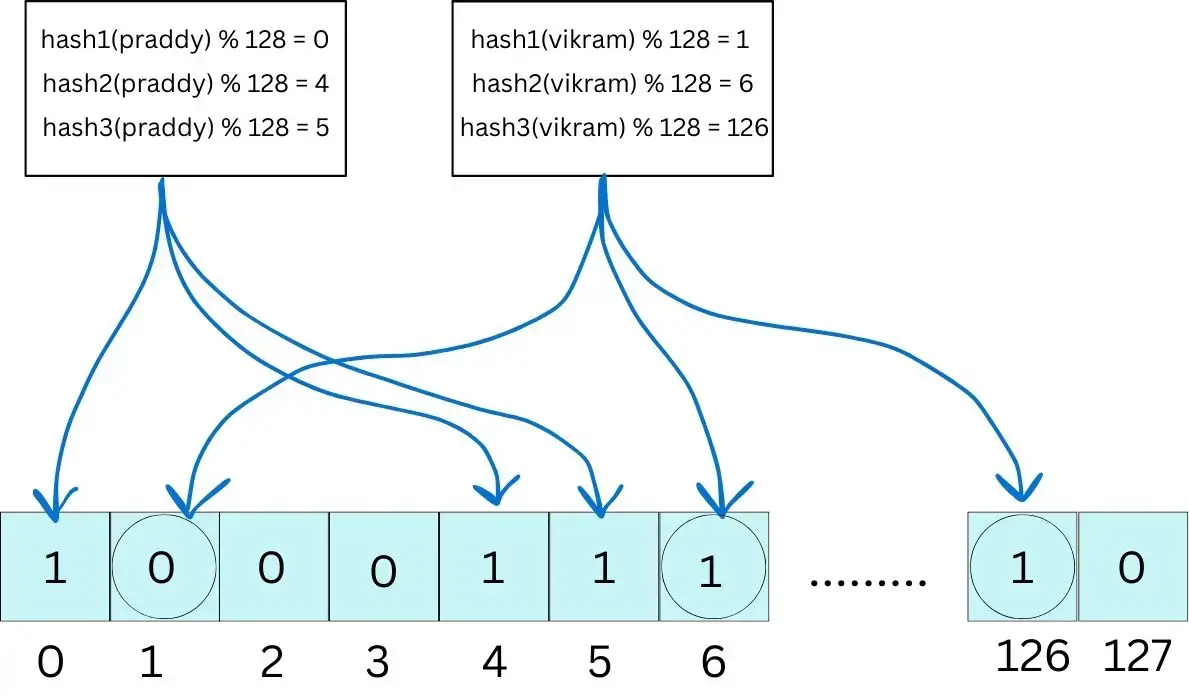
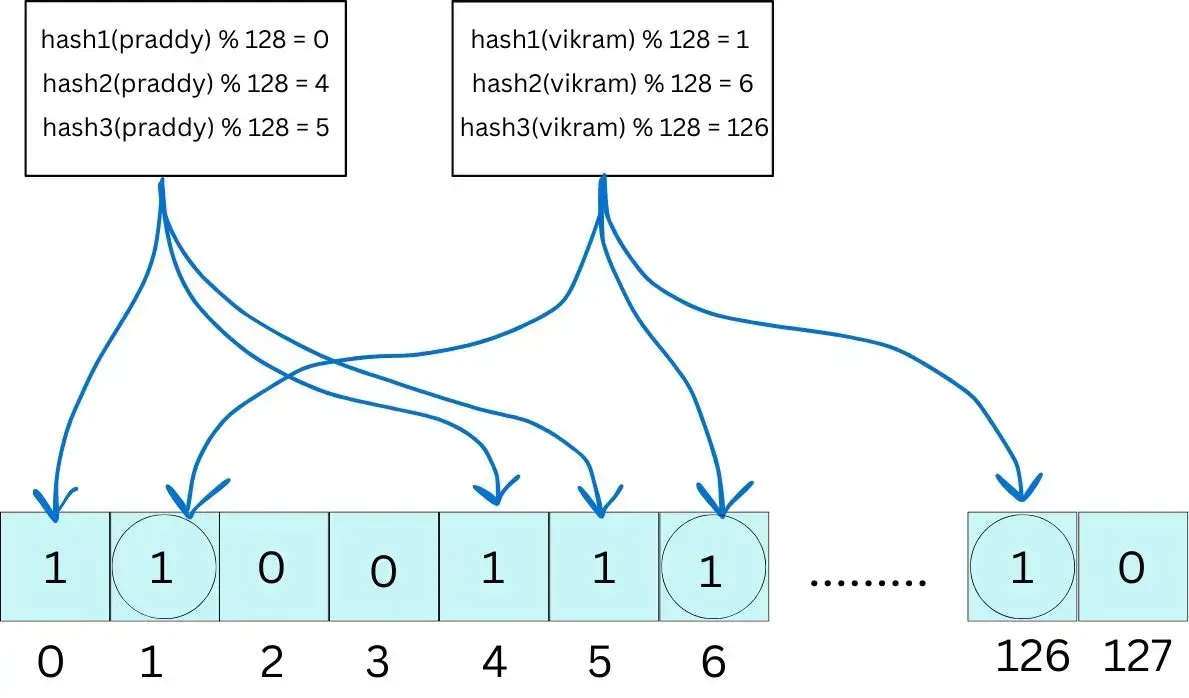
In the above example, we considered only 1 hash function. But in real systems, we use k hash functions, meaning we set/check k bits per input (username in our case):
-
If either of the k bits is 0 → definitely not present (in the diagram below, “vikram” is definetly not present)
-
If all k bits are 1 → maybe present (false positives possible, query the db)
-
Obvious Questions that Pop-up
-
What happens if all the boxes end up with 1s ?
Well, in that case the bloom filter becomes useless, because for every query it’ll say “maybe present”, and we’ll end up hitting the DB every time, this in-turn increases the flase positivity rate (which is not what we want) so we lose the whole benefit of using it.
That’s why sizing matters: we need enough bits (and the right number of hash functions) so the filter doesn’t get too full, and the false positive rate stays low.
-
So what do we do when the filter starts getting full? Can we scale it?
The common approach is to layer Bloom filters (the idea behind scaling bloom filters).
When the current Bloom filter starts getting too full (too many 1s → false positives go up), we don’t try to expand the same bit array (because we would need to rehash and reorder , not optimal). Instead:-
We freeze the current Bloom filter (keep it as-is)
-
We create a new Bloom filter (usually bigger / tuned better)
-
We insert all new elements into the new one
-
For query(element) operation, you might have to check in all instances of Bloom Filters and then take a decision accordingly.
-
So how do we decide the number of bits to choose, and the number of hash functions to choose ?
There’s a lot of math involved in this one, and if you are curious to learn on how to choose the optimal k and m, you can check these 2 wonderful articles out (usually u just use those formulaes directly, no need to remember them):
-
What if a username/user (the element) is deleted?
Classic Bloom filters don’t support deletes. A variant of bloom filters called the Counting bloom filters supports deletion. There are multiple variants of bloom filters, each of them has its own use case, you can always explore them..
-
When should i use a bloom filter ? What patterns to identify ?
-
We keep doing existence checks: “does X exist?” / “have we seen X before?”
-
A DB/Redis/disk lookup for “NO” is expensive or happens at high QPS
-
Use Bloom filters when we only insert data and never remove it.
-
Use when we specifically need to answer “NO” with 100% certainty.
-
We have finally come to an end of this long deep dive. Also, I have implemented Bloom Filters in Python from First Princples that is starting from brute force to production grade optimal approach.
I will be talking more about the code step by step in my coming articles..
If you liked this article, feel free to like, subscribe, and drop a comment to spark a discussion, so we can all learn from each other. And if you think it’ll help someone, share it with your friends or on social media.
If you found this useful and want to support my work, you can also buy me a coffee ☕ - buymeacoffee.com/cpradyumnao